Vehicles
Use Vehicles to store fleet or carrier equipment records used in Freight Orders and planning.
A vehicle can represent a truck, trailer, van, container chassis, vessel reference, or another execution asset your process tracks.
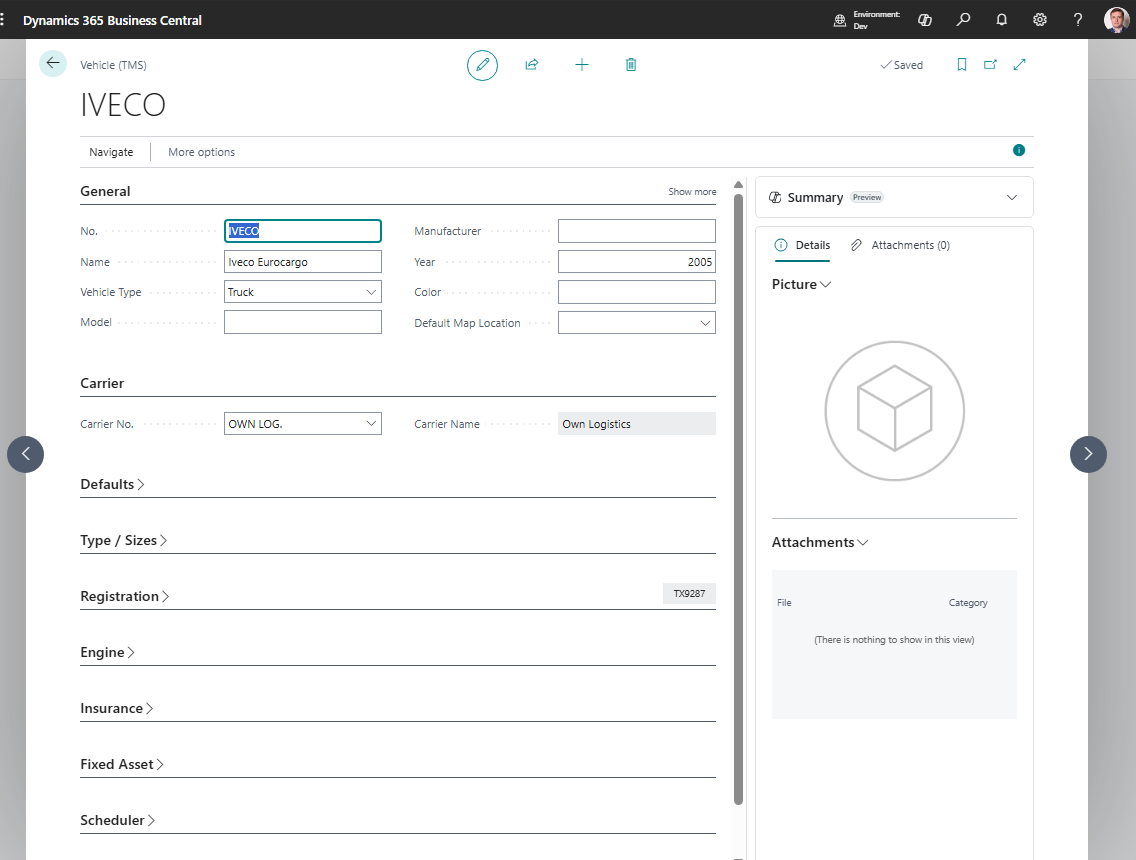
Before you start
Make sure that:
- carriers exist if vehicles belong to carriers,
- logistic unit types or capacity units exist when capacity is tracked,
- users know which vehicle identifiers are required for documents,
- blocked or retired equipment rules are defined.
How to create a vehicle
- Search for Vehicles.
- Choose New.
- Enter the vehicle number or code.
- Fill description, carrier, registration, and equipment details.
- Fill capacity values when your process uses them.
- Add default driver if appropriate.
- Save the record.
Fields that matter most
| Field | Why it matters |
|---|---|
| No. / Code | Identifies the vehicle in TMS. |
| Description | Helps users select the right equipment. |
| IMO Number | Stores the optional permanent IMO vessel identifier; shown in General and the vehicle list. |
| Carrier No. | Links equipment to the executing carrier. |
| Registration No. | Prints on operational documents when needed. |
| Capacity values | Support planning and load review. |
| Default Driver | Speeds up Freight Order assignment. |
| Blocked | Prevents new assignment while preserving history. |
The IMO Number field applies only to vessels. Enter it in General on the vessel’s vehicle card, and leave it blank for trucks, trailers, vans, and other equipment that is not a vessel. The IMO ship identifier remains with the vessel when its name, flag, or owner changes. It is separate from the internal Vehicle No., VIN, and Registration No.
Leave the field blank when unused. Current IMO ship numbers have seven digits; TMS also accepts eight digits for compatibility with the announced future extension. You can include an IMO prefix in any letter case and surrounding spaces; TMS removes them and stores only the digits. Other lengths and nondigit characters are rejected. Validation checks the format only, without a checksum or online registry check.
The existing vehicle API exposes this field as imoNumber. Freight Order snapshots and reports do not include this field.
Where vehicles are used
| Area | Use |
|---|---|
| Freight Order | Shows equipment assigned to the work. |
| Carriers | Provides default execution resources. |
| Reports | Prints vehicle information on carrier documents. |
| Freight Load Management | Helps planners review assigned equipment. |
Good to know
- Block retired vehicles instead of deleting them.
- Keep registration and equipment descriptions clean. They may print on documents.
- Vehicle assignment is operational data. Settlement usually depends on carrier, vendor, services, and charges.
Troubleshooting
| Problem | What to check |
|---|---|
| Vehicle is not available | Check whether it is blocked or filtered by carrier. |
| Wrong vehicle appears by default | Review carrier and driver defaults. |
| Capacity totals look wrong | Check vehicle capacity and document content quantities. |
| Vehicle data is missing on a report | Review the Freight Order and vehicle card before printing. |